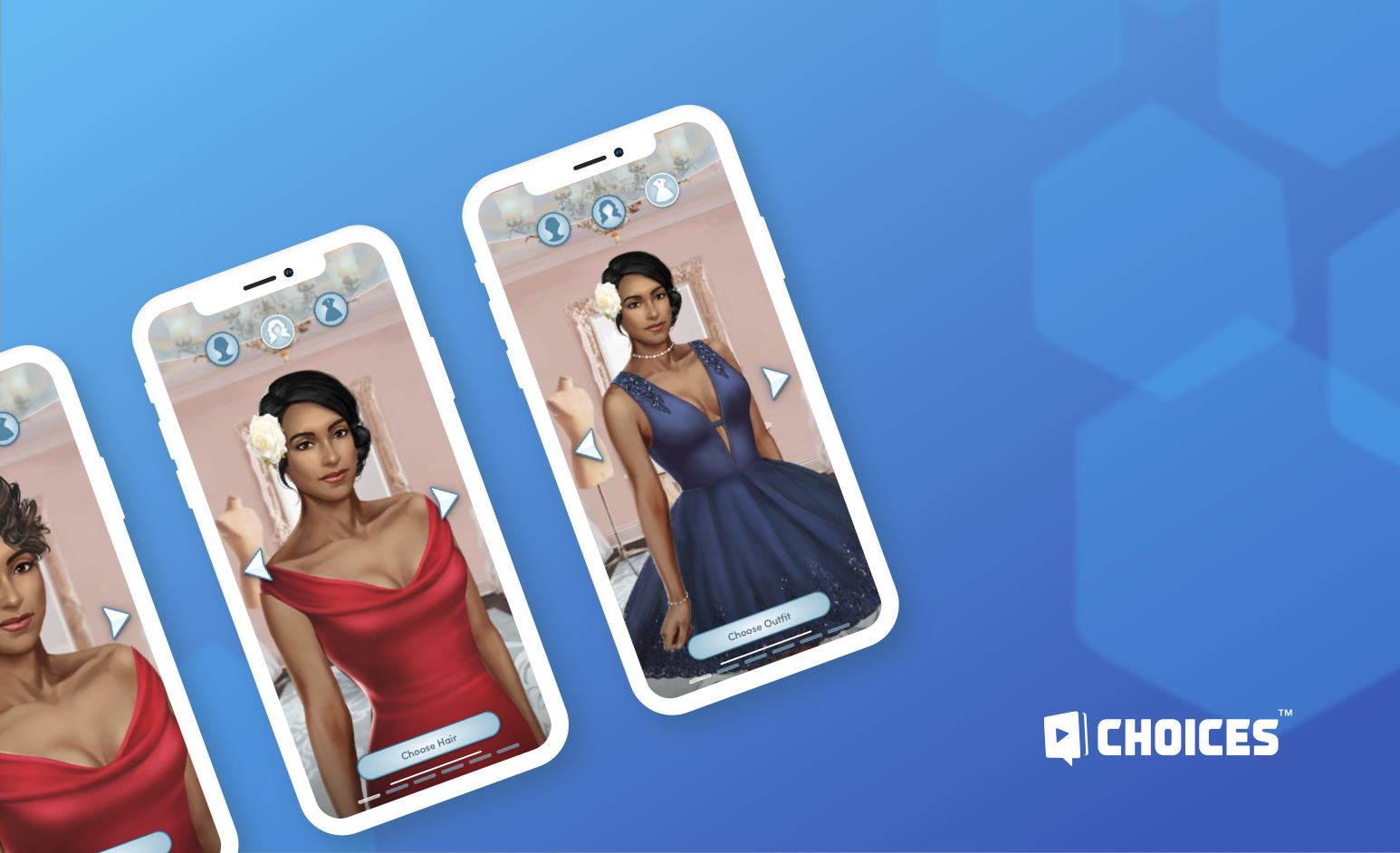
Character
Creator
Smooth player’s onboarding.
My role
UX/UI Designer, UI Artist
Was a solo designer on the feature, responsible for design explorations, user flow, visual implementation, transitions, and animations.
Duration
May-September 2020
Overview
Choices is a collection of narrative stories where players can affect the story by choosing their own path. Each story starts with creating a character, player’s representation for this story. Moreover, this is the starting point for FTUE. Being created several years ago, Character Creator solves its purpose, but has a lot of usability issues that team decided to improve.
Goals
– Design a new Character Creation feature with the visual, flow, and feel enhancements for optimal player onboarding.
– Simplify and speed up the creation of the character, allowing players to get into the narrative quickly and effectively.
Existing flow problem areas
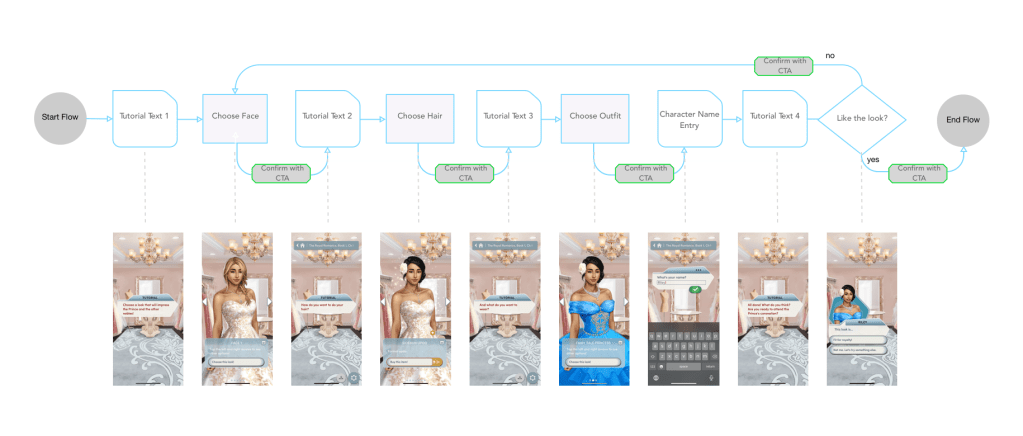
The current Character Creation flow is very linear and doesn’t allow the player to step back and make changes. Flow is broken by text dialogs that live outside of the Character Creation feature and transitions back and forth are very slow and ineffective. If players are not satisfied with their look, they need to start over and follow the flow again.
Ideation
In order to make the player experience more seamless and quick, we decided to reduce the number of taps by removing tutorial text screens and reorganizing the flow. I tried a couple of ideas before landing on the final one. One of the sub-goals was to allow players to change any customization step without resetting the character to default portrait settings but preserving the player’s previous choice.

HUB Flow
There is a centralized screen from which players can make customization with the ability to go straight into the game with the default look.
Pros: Fast way to access the game; easy to see all customization options.
Cons: Players can miss customization unintentionally.
Sequential Flow
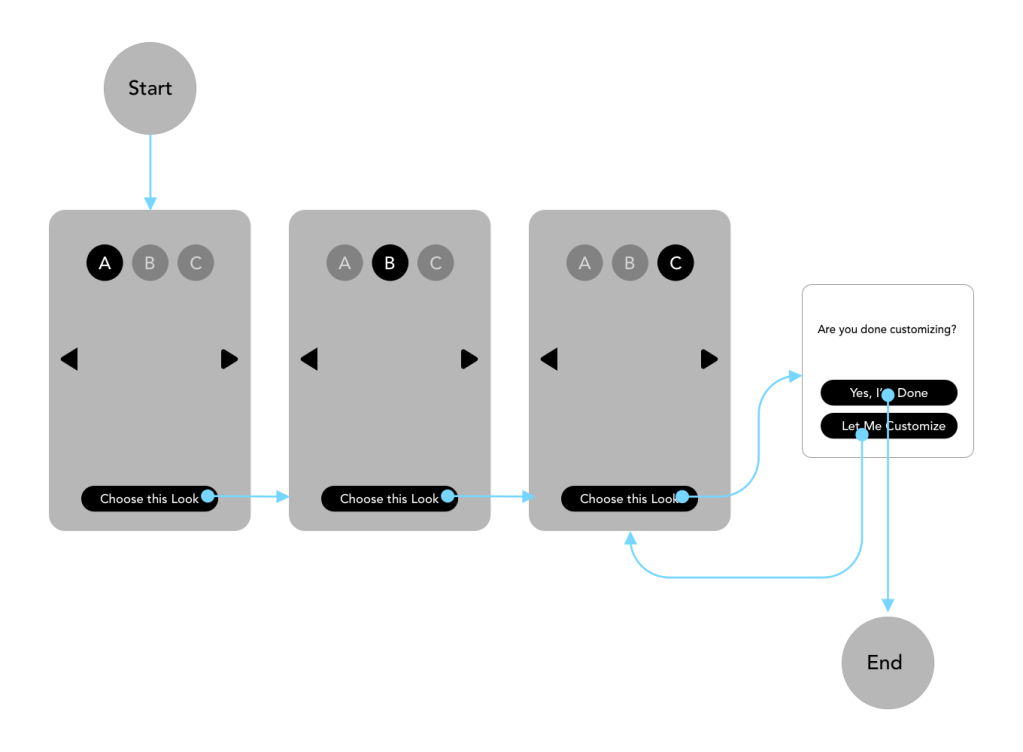
The player goes through sequential steps before proceeding into the game. All additional dialogs happen as popups on the same screen.
Pros: Linear flow is easier to understand; more narrative way to onboard players.
Cons: It takes longer to get to the game.
Curated Flow
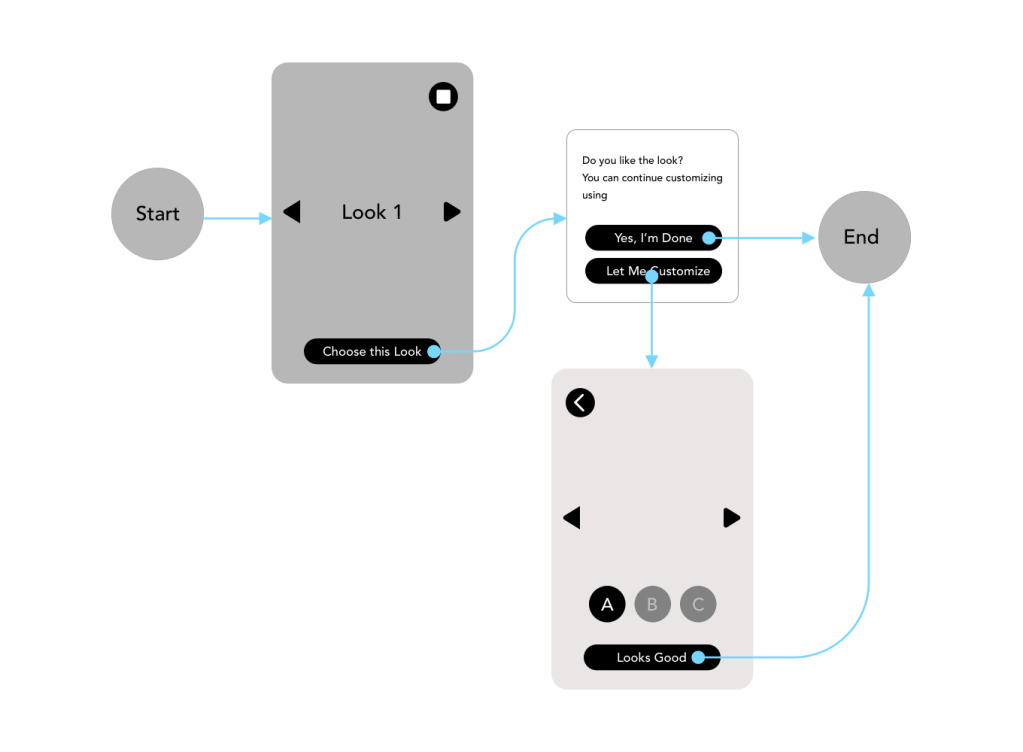
The player chooses between fully established looks, and customization is optional.
Pros: Fast way to access the game.
Cons: Established looks can not satisfy players.
Considering all the options we decided to move forward with Sequential flow using some good findings from other ones: established (curated) looks, shortcuts to start the game, and ability to move back and forth between categories.
Final flow: sequential with shortcuts
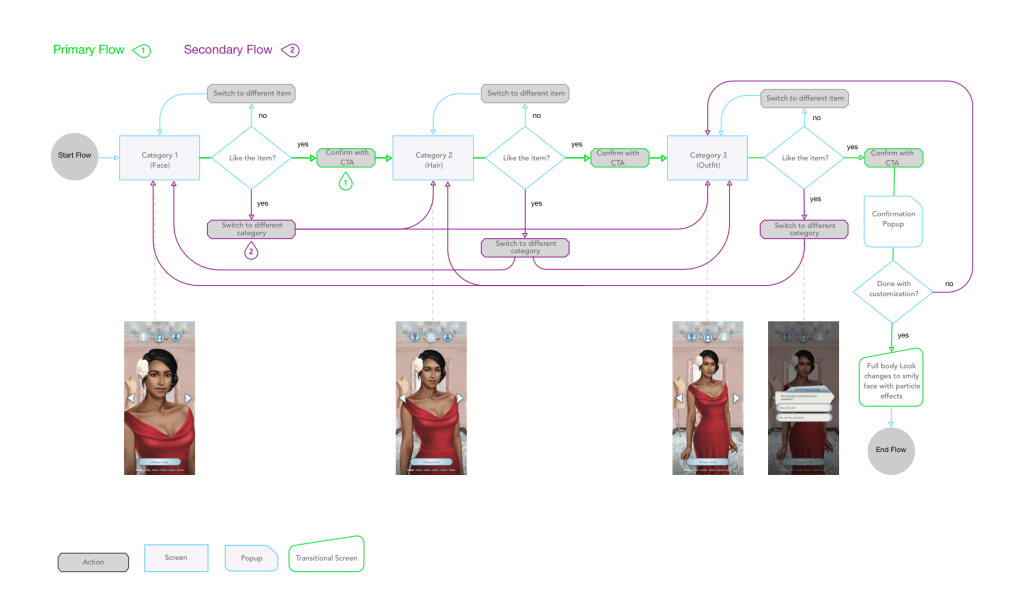
The intention of the Primary flow is to lead players through customization steps in sequential order. Starting from the 1st category, the player taps the choice confirmation button and is automatically moved to the next category.
In Secondary flow, the player can move back and forth between categories using category buttons or confirmation button to change their items. In order to finish customization, the player needs to press the confirmation button on the last category.
Premium Items
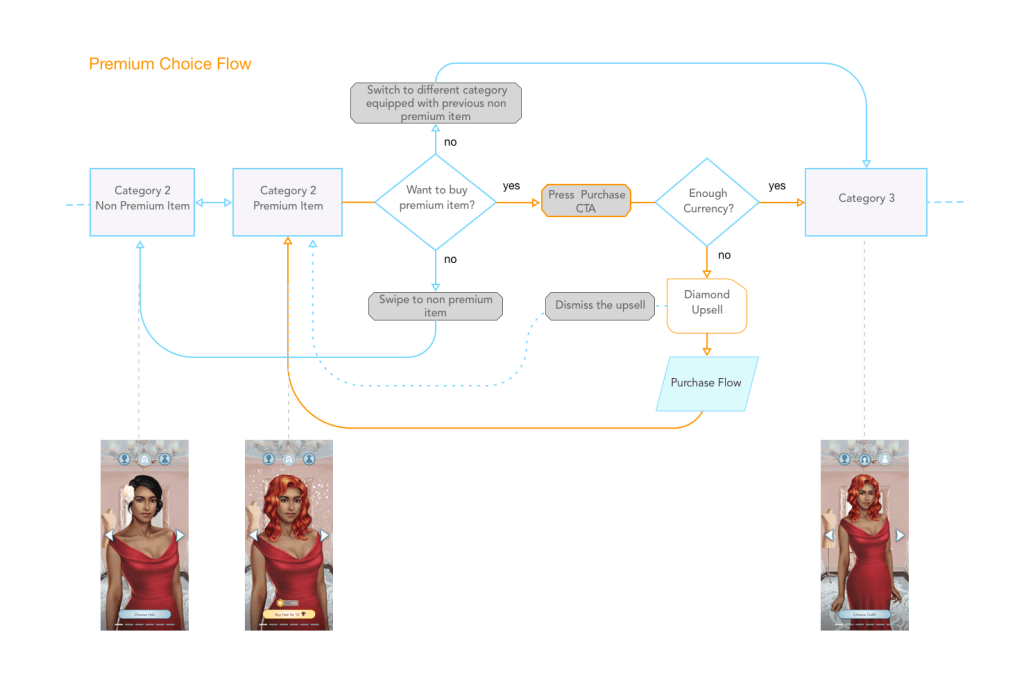
Premium item is an item the player needs to pay for using in-game currency. Each category can have such items, and the player can either purchase an item and acquire it or switch to a different category without making a purchase. In this case, their last non-premium choice from the same category would be applied.
Example: Amaya’s character has short hair. Amaya swipes through the hair category and finds long curvy premium hair. She switches to the outfit category without making a purchase, so her character’s hair turns to her previous choice – short hair.
Layout and Anatomy
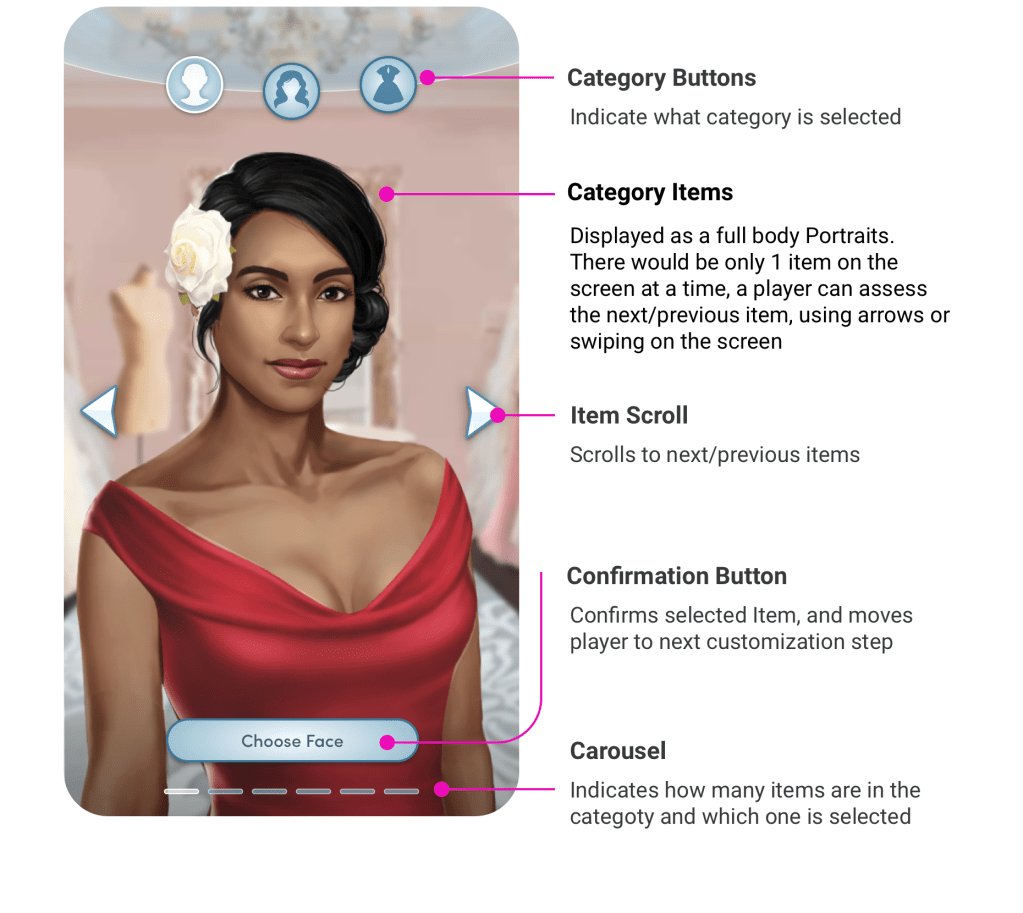
A new Character Creator is a set of categories that include category items players can choose from. On each screen there are visual category indicators: category buttons that also indicates how many categories are total. Carousel shows number of items available and which one is selected. Category items can be scrolled via gesture or tapping on item scroll arrows. The confirmation button moves players to the next customization step: the next category or end of customization. In the case of a premium item, the button is changed to the purchase button.
Curated Look
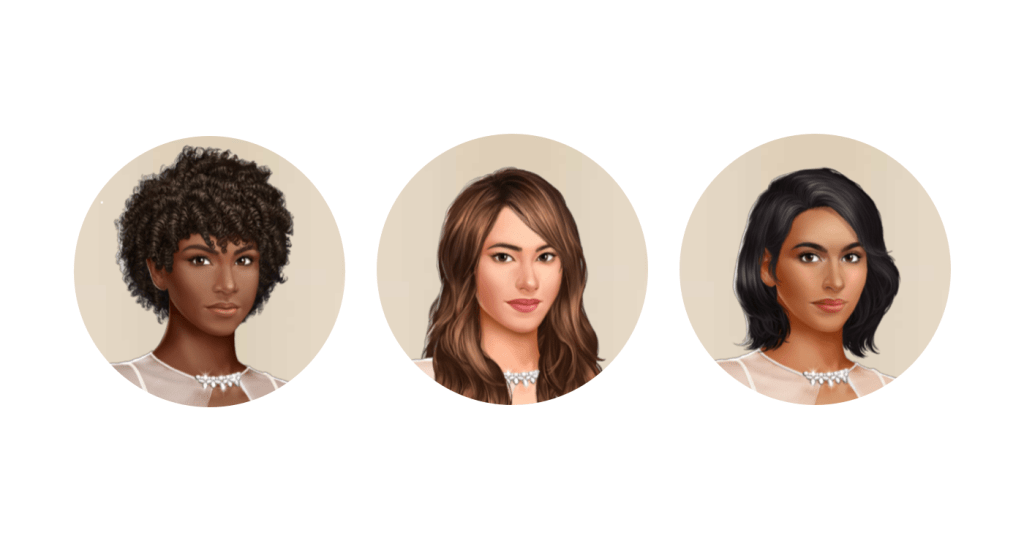
Right now when choosing the face, we show the same hairstyle and outfit for different ethnicities. That usually allows highlighting one of the faces that match the hairstyle the most but diminish others.
In order to show the best look while choosing the face, it was decided to set different hairstyles to match ethnicity. Players would be able to change hairstyle in the dedicated category if needed.
Zoom Zones and Background Blurring
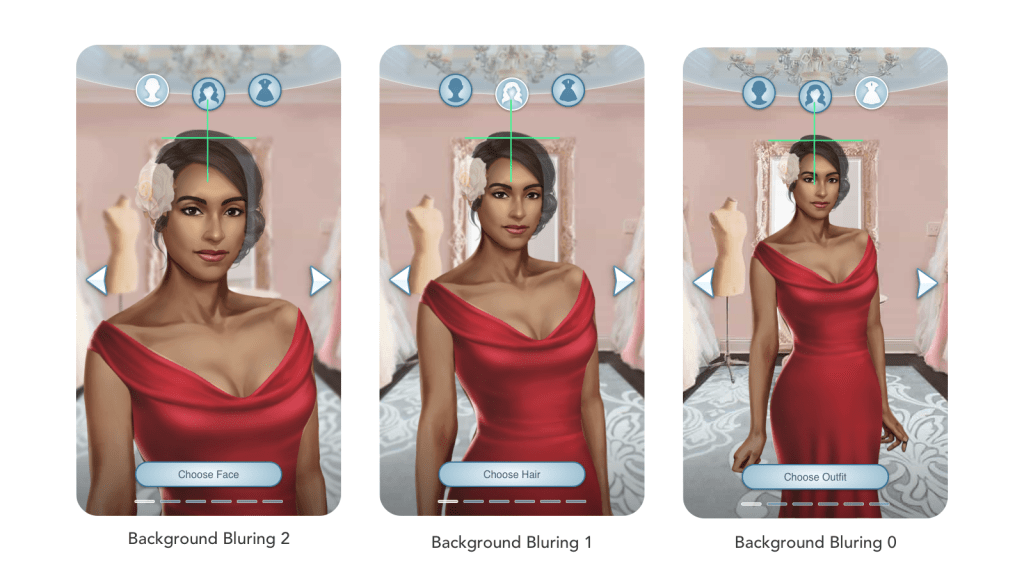
Based on the category type, the character would zoom in or out to highlighting area of category interest.
I defined character Center Markers to ensure characters are properly centered and Zoom Crosshair to define where the zooming starts from. As characters are constructed from several pieces: body, hair, outfit, Zoom Crosshair is set on the top of the scull so that the height of the character would be in relatively the same position for all zoom zones. When zooming in, the character asset would grow to the bottom of the screen.
With each character’s zoom level, the background is blurred accordingly to create the effect of depth.
Video of the Concept
You can review a video of the full customization concept. Please keep in mind that animations and transitions are not polished, just proof of the concept.
 Kira's Portfolio