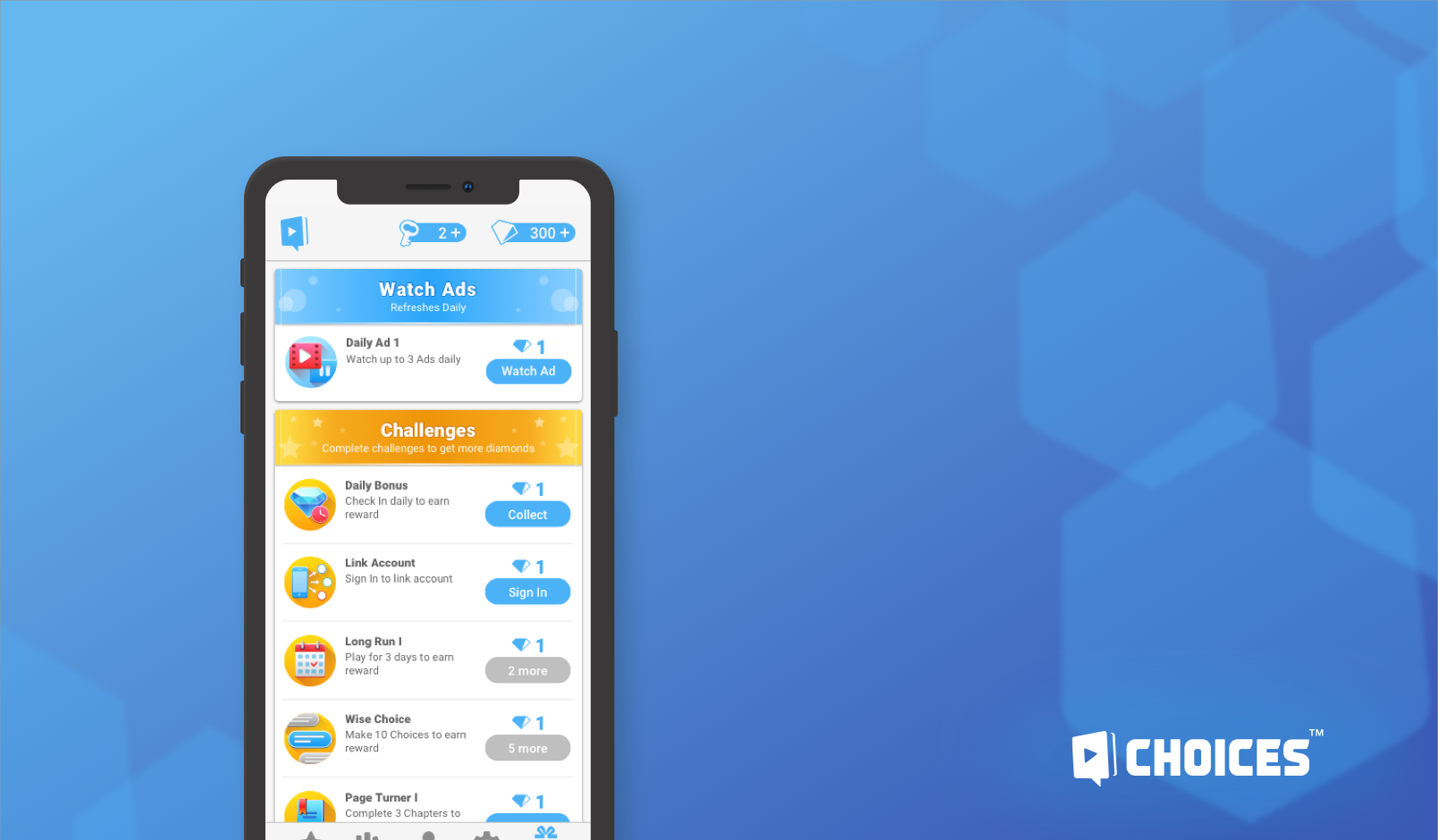
Rewards Tab
and Challenges
Introducing new ways to reward players and engage a retention.
My role
UX/UI Designer, UI Artist
Was a solo designer on the feature, responsible for flow and layout, challenge types and behavior, visual implementation, and motions.
Duration
January-April 2020
Overview
As Choices continue to have more ways to reward players through various sources, it is beneficial to put rewards in a centralized location where players can find and learn where to earn more currency.
To increase reward options, we introduce Challenges – additional rewards that provide benefit to players for performing desirable behaviors.
Goals
Introduce new ways to reward players: Challenges.
- Create a scalable module place for earning rewards.
- Consolidate current Check-ins and Watch Ads features with the new system.
- Notify players of available rewards.
Page Redesign

Rewards Page was redesigned to be a modular system where different kinds of rewards can be organized.
Each category is presented with the category title and collectible cards (min 1 card under the category).
A potential number of categories can grow, but right now we have a variety of 3 categories that can be configured and rearranged: Pixelberry Greetings, Watch Ads, and Challenges.
Category Types
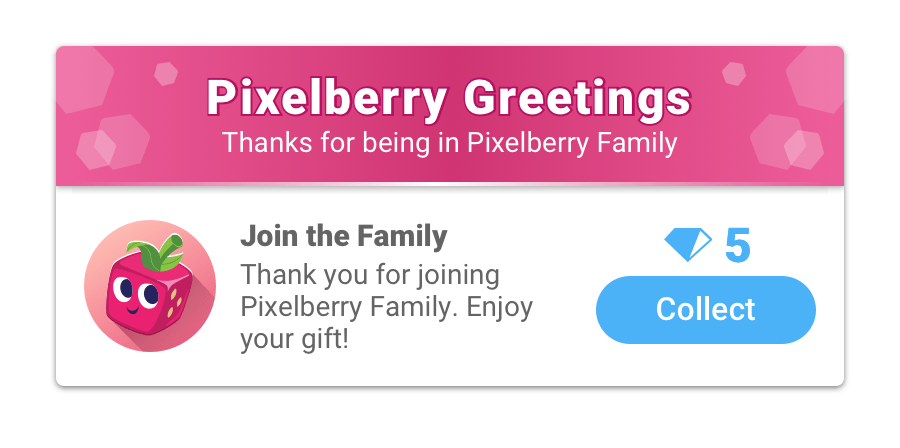
This is a category for communication with players. This celebratory section contains nonrecurring (one-time) rewards. It is omitted when no rewards are available.

This is a consolidated version of the current Watch Ads screen (always contains 1 card at a time). Players need to watch ads to earn rewards. When one reward is collected, the next card rolls in with a new ad.
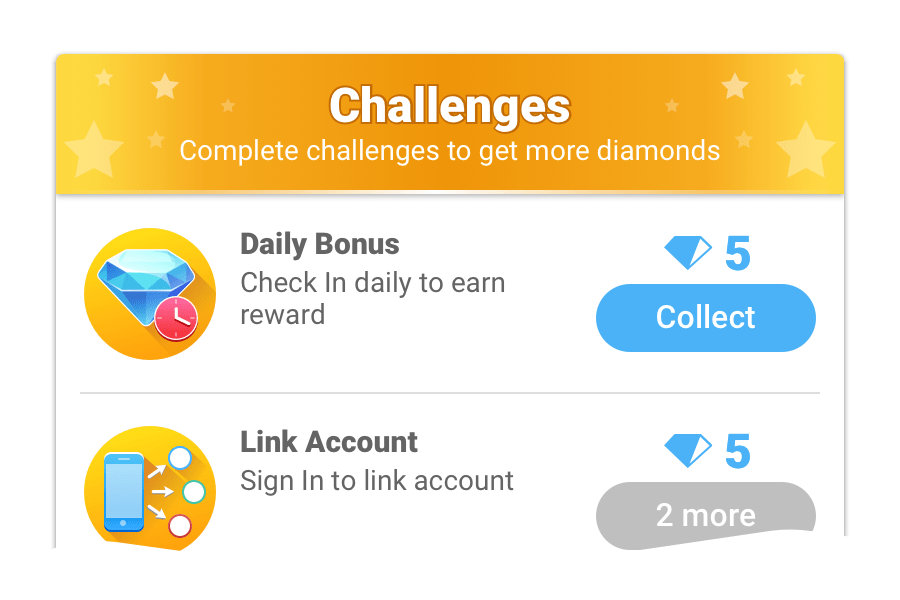
Challenges is a section that contains individual challenge cards. Cards have no dependencies and can be claimed in any order when they are in collectible states.
Category Anatomy

Each category consists of a category header and cards unified by category background.
- Cards reflect individual tasks that a player needs to perform to gain a reward.
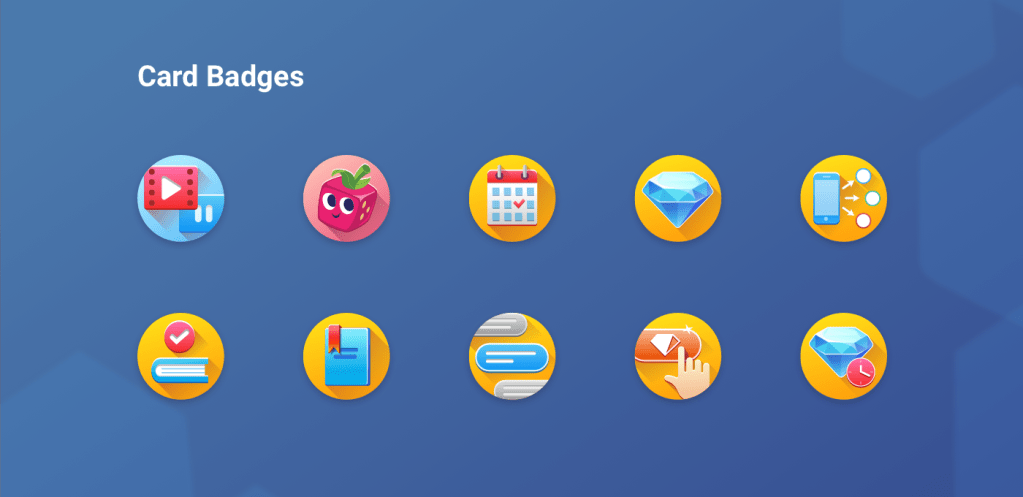
- Card badge represents card type as there can be different tasks to be performed for the same type.
- Card content (title and description) reflects the task a player needs to complete in order to get the reward.
- Reward consists of a currency type and value to obtain for completing the challenge.
- Button shows the current state of the task completion.
In active button state players can collect their reward any time they want.
Locked state shows the remaining number of suggested actions.
Collected state is used for 1-time rewards, there is no actions player can make with the state.
Card Types
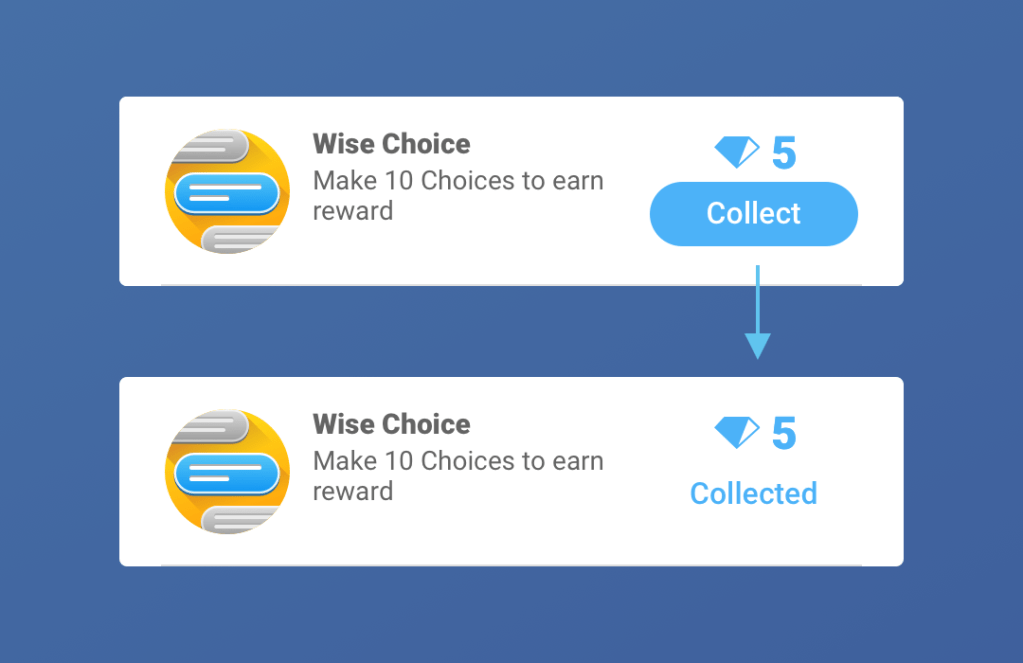
1 Time Challenges
After collection, the button state changes to collected, and the player can’t interact with the card.
The card stays under its respective category until the player exits the Rewarded Tab.
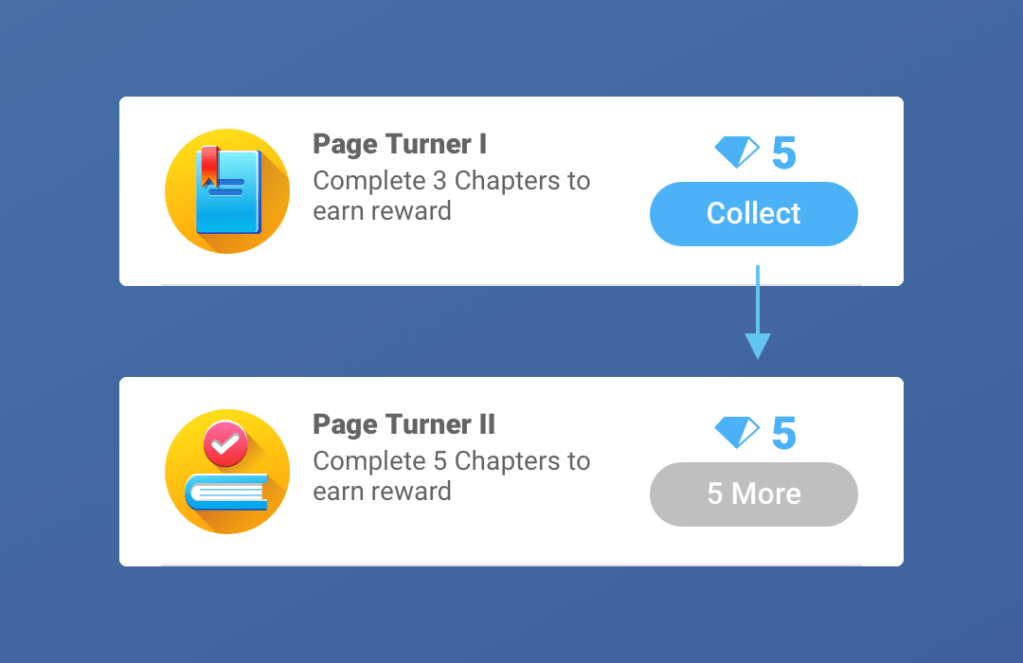
Tiered Challenges
Challenges are tiered (after completing one challenge, the requirement increases for the next one). The title uses numbers to show what tier of the challenge player is on. Example: Challenge I, Challenge II, Challenge III…The description reflects requirement changes.
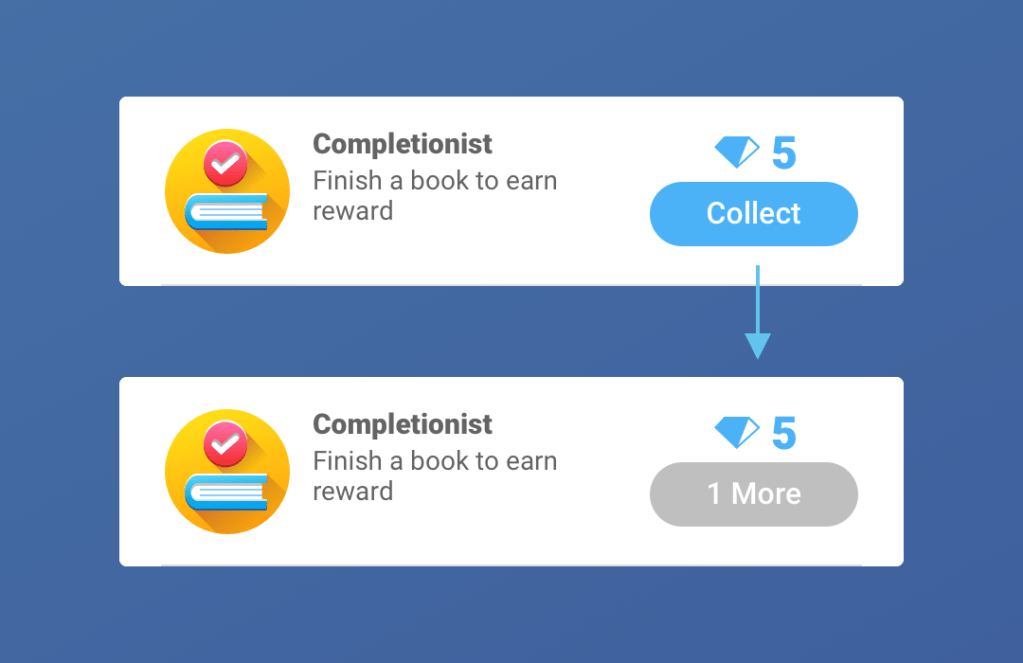
Looped Challenges
Meet the same requirements repeatedly. After completing the challenge, card is switched to the next one with the same requirements.
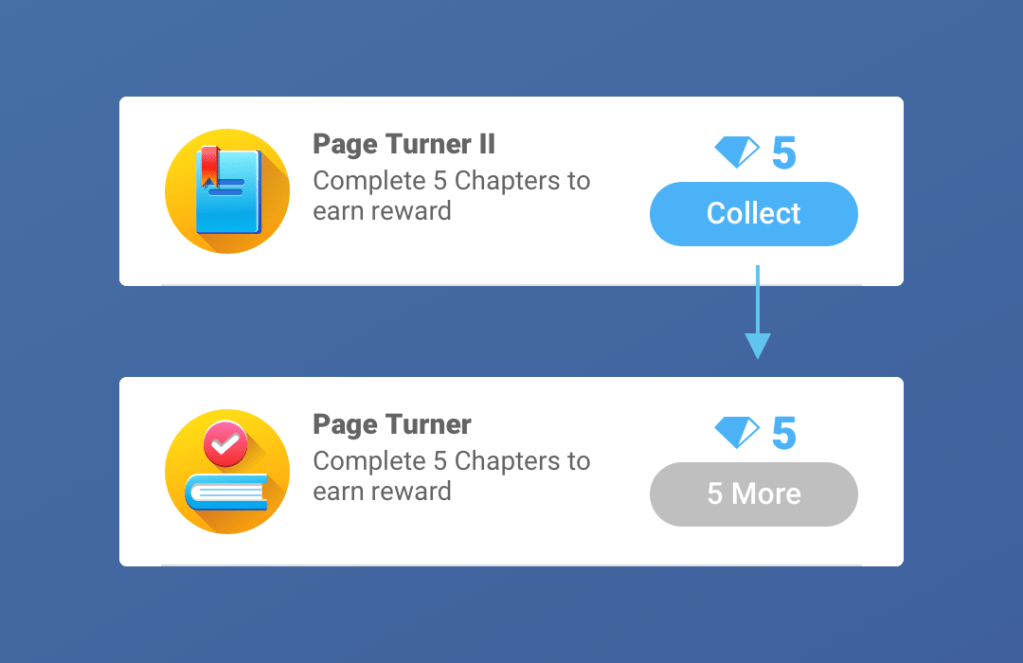
Tiered/Looped Challenges
Challenges are tiered but become looped after hitting a certain point. Title and description change from tiered to generic.
Reward Collection
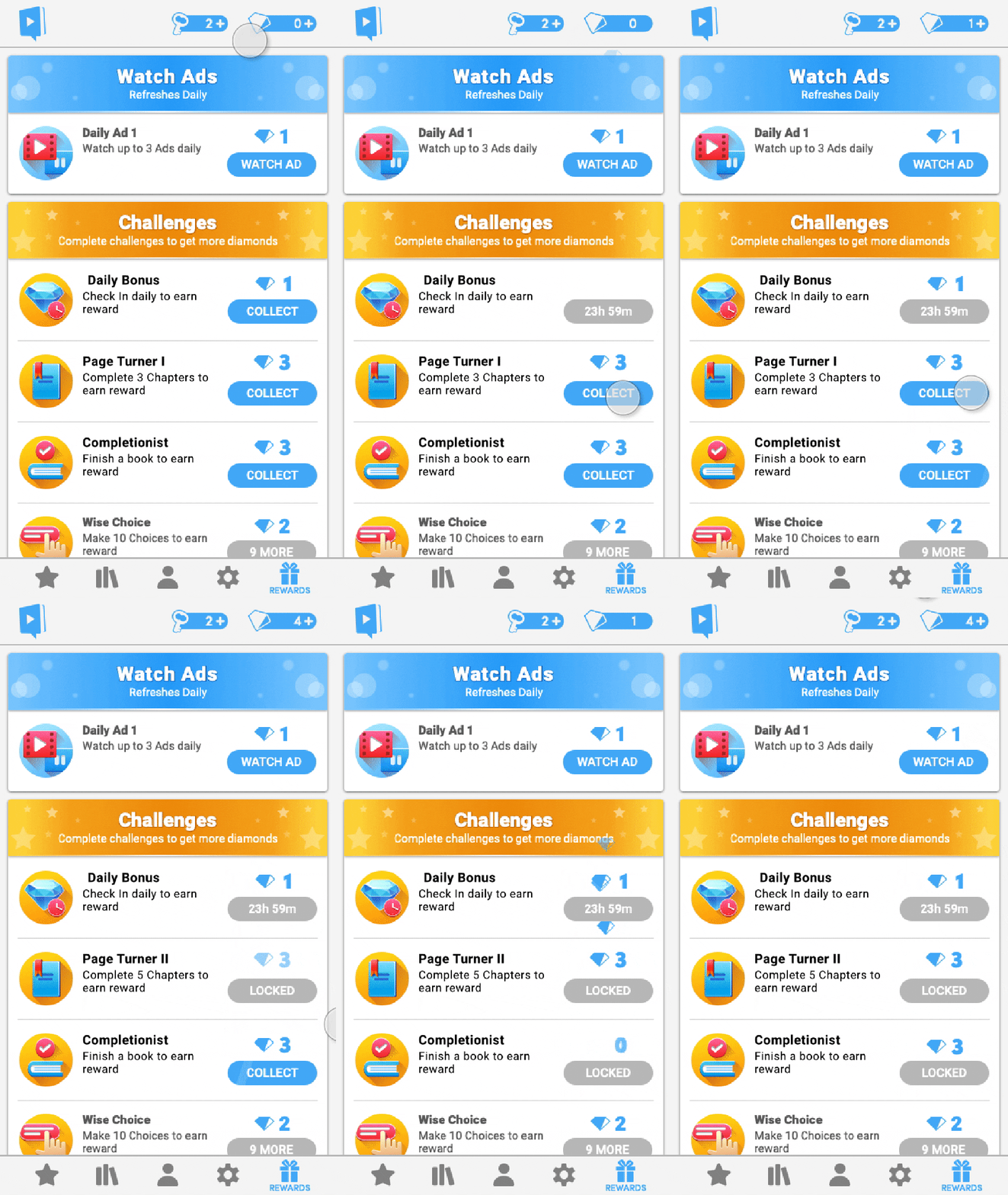
The primary communication for reward collection are Flyups (with exception of Watch Ads – not a part of MVP). After tapping on the collect button on a card, the player sees reward flyups travel from the card and into the top HUD.
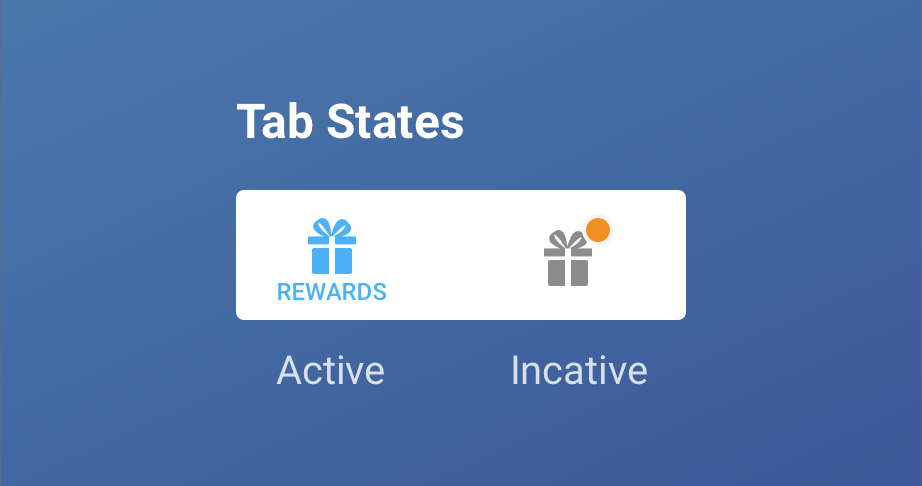
Notification dot was added to inform players about rewards ready to collect.
Visual Work
As a part of the work, I also created a visual style and badges for the feature.
 Kira's Portfolio